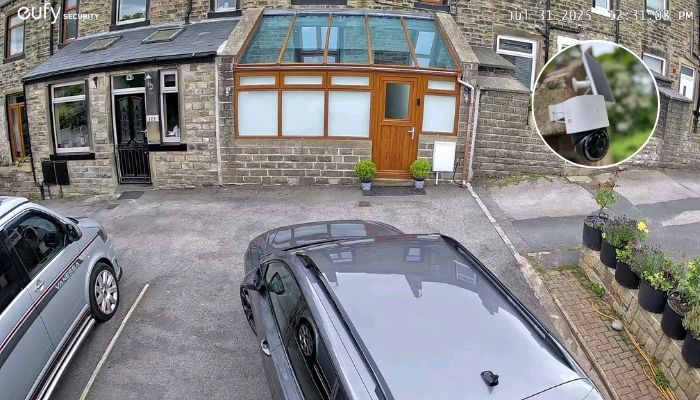
Summary: There are many ways to improve the Wi-Fi Connection of your eufy camera. Check your camera position and improve your home’s Wi-Fi coverage. Check the router settings and consider professional installation.
Imagine you have installed your eufy security camera, connected it to the app, and everything seems ready to go. Then suddenly, the video starts buffering, notifications arrive late, or the camera keeps disconnecting. Many people face this trouble after DIY installation. It is crucial to focus on every minute detail during eufy camera installation. A reliable Wi-Fi connection is essential for the security camera to deliver smooth live viewing, timely alerts, and consistent performance. Continue reading to find practical steps to improve your eufy camera’s connection after installation.
Tips to Strengthen Your Eufy Camera Wi-Fi Connection After Installation
Check Your Camera Position
Could the camera be too far from your router? Distance and physical obstacles can significantly affect wireless performance. Consider that walls, concrete, metal structures, large appliances, and even multiple floors between the router and camera can weaken the signal. As a reputable home security company, we recommend checking the camera’s connection from its installed position. If the signal is consistently weak, consider moving the router closer, where practical.
Improve Your Home’s Wi-Fi Coverage
Sometimes, the camera is not the problem; the Wi-Fi coverage is. If your router struggles to provide a strong signal throughout your property, consider using a Wi-Fi extender or mesh Wi-Fi system. These solutions can help extend coverage to areas such as garages, gardens, driveways, or detached buildings. Here is a tip. Test your Wi-Fi at the exact location where the Eufy S380 HomeBase camera is installed before buying additional equipment.
Check the Router and Network Settings
When was the last time you restarted your router? It sounds simple, but restarting network equipment can sometimes resolve temporary connectivity issues. Also check that your router firmware is up to date and that your internet connection is working reliably on other devices. Network congestion can also affect connected devices. If numerous phones, televisions, computers, and smart-home devices are using the same network simultaneously, your camera may experience performance issues.
Consider Professional Installation
Are you still experiencing dropouts after trying the basics? The issue can involve camera placement, network configuration, router location, interference, or the distance between your camera and network equipment. Professional camera installation can help identify these problems before they become a frustrating, ongoing issue. Our experts can access the camera’s position, check connectivity, configure the system correctly, and help ensure your security setup works as intended.
We hope you find this blog useful. However, if you have more queries, please feel free to get in touch with us.
FAQs
Q: Why does your Eufy camera keep losing Wi-Fi connection?
Weak signal, distance from the router, physical obstructions, network congestion, or interference can cause frequent disconnections.
Q: How can you improve your Eufy camera’s Wi-Fi signal?
Try repositioning the camera or router, reducing obstacles, restarting your router, or using a Wi-Fi extender or mesh system.
Q: When should you consider professional Eufy camera installation?
If your camera continues disconnecting after basic troubleshooting, professional installation can help identify placement, network, and configuration issues.
Search
Recent Posts
October 07, 2026
October 01, 2026
September 26, 2026
September 21, 2026
Leave a Reply